How to Delete Your Account and Data
We make it easy to delete your account and personal data directly from the app.
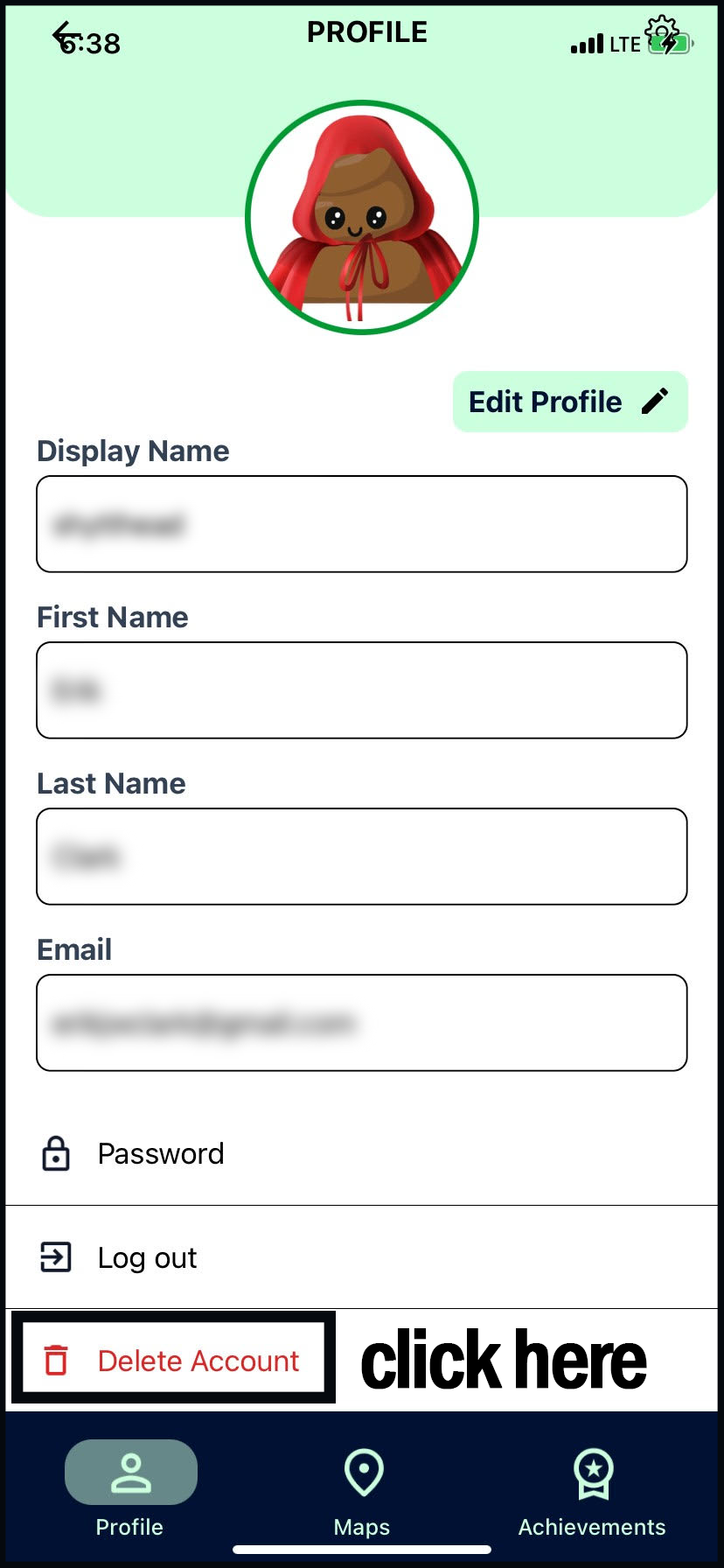
Steps to Delete Your Account
Open the Shytter app
Go to your Profile
Select Delete Account
Confirm your choice when prompted
Once confirmed, your account will be permanently deleted.
What Happens After Deletion
All personal data associated with your account is permanently removed from our databases
This includes:
Account information
Profile data
Check-ins
Points, ranks, and achievements
Any reviews that you left
Important Notes
Account deletion is permanent and cannot be undone
You do not need to contact support to delete your data
Deletion occurs immediately after confirmation
If you have questions or need assistance, you can contact us at help@shytter.org.